
Send Tally Documents Directly to WhatsApp
Open a supported Tally document, check the recipient and PDF, then use the WhatsApp action to send it. See the workflow and trial steps.
Read the guideShort practical guides from the team that builds TallyWhatsApp. No fluff — just the parts a TallyPrime user can act on today.
Open a supported Tally document, check the recipient and PDF, then use the WhatsApp action to send it. See the workflow and trial steps.
Read the guide
A comprehensive overview of the QR-based Tally-to-WhatsApp solution. 14-day free trial, single-user details, and step-by-step setup guide with screenshots.
Read the product guide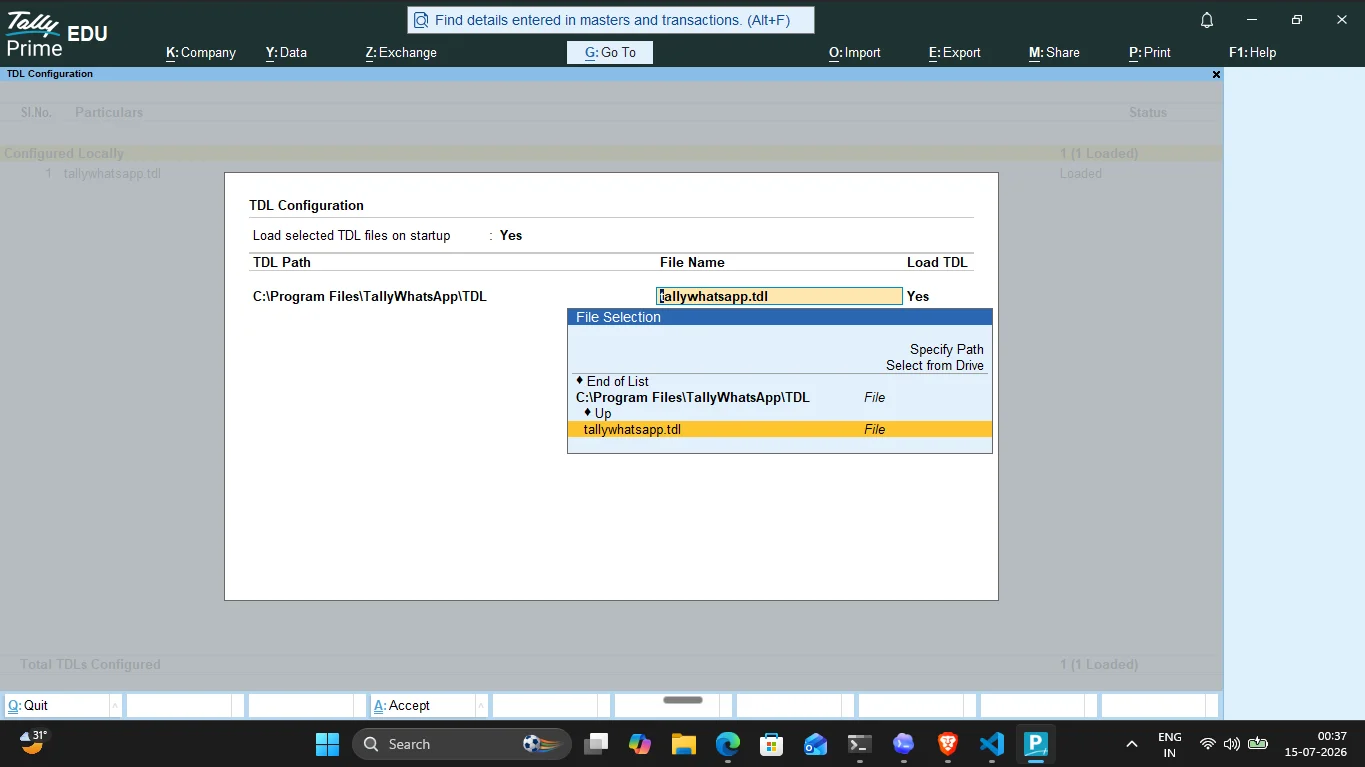
Download the installer and TDL, pair your WhatsApp account, and test a real voucher during the 14-day trial.
Start the free trial
Compare the billing and setup questions for TallyPrime's built-in service and a QR-paired connector before asking for a quote.
Read the cost checklist
Every step from MSI install to first delivered invoice — with screenshots from a real TallyPrime install.
Read the full walkthrough
A working Tally TDL tutorial. Hook a TallyPrime form, add a button, call a function, ship.
Read the tutorial
See what the TDL prepares after saving an invoice, what still needs confirmation, and how to check delivery.
Read the guide
A checklist of six tasks that eat the average TallyPrime accountant's day, with the practical fix for each.
Read the checklist
What the GST rules actually say about WhatsApp delivery — and how to send GST invoices without breaking compliance.
Read the guide
Choose a TallyPrime WhatsApp route using the real invoice workflow, maintenance needs, and sending setup.
Compare the paths
Understand the TDL action, Windows connector, QR pairing, PDF preparation, and send confirmation.
Read the breakdown
Use the same invoice demo and written terms to compare document output, sending route, office setup, and support.
Use the checklist
Compare TallyPrime's built-in WhatsApp service with a QR-paired TDL connector, including setup, documents, reminders, and cost questions.
Read the complete guide
TDL explained simply — what it is, how to load files, common uses, and how TallyWhatsApp leverages it for WhatsApp automation.
Read the beginner guide
Simple, actionable 5-step guide: install, pair QR, open invoice, press Alt+J, done.
Read the step-by-step
Check balances in Tally and learn how to share overdue statements and payment reminders through WhatsApp.
Read the guide
Bulk outstanding reminders with anti-ban protections: jitter, spintax, quiet hours, and circuit breakers.
Read the safety guide
Month-end reconciliation made easy — send party statements and outstanding balances with one click.
Read the walkthrough
Fix QR scan issues, TDL loading errors, COM crashes, firewall blocks, and license activation problems.
Fix your issue
How the Gold plan Hub/Spoke architecture lets multiple billing counters share a single WhatsApp number over LAN.
Read the setup guide
Head-to-head: Meta Cloud API fees and template restrictions vs flat-rate QR-based desktop automation.
Compare the options
How Chartered Accountants manage 50-200 client ledgers, GST season updates, and payment collection via WhatsApp.
Read the CA guide
Why WhatsApp bans happen and how TallyWhatsApp's behavioral anti-ban engineering keeps your number safe.
Read the safety guide
Branded subdomain, demo license, client dashboard, and instant license generation — what partners get.
Explore the program
Talking points, demo scripts, objection handling, and the ideal client profile for TallyWhatsApp.
Get selling tipsInstall TallyWhatsApp. Ship invoices to customers in a single click.
Download Free Trial