How Tally Partners Can Sell WhatsApp Automation to Clients
As an implementation partner, your goal is to make your clients' businesses run smoother. One of the best ways to do this is by eliminating manual, repetitive tasks. In this guide, we will explore strategies on how to effectively sell tally whatsapp add-on to your clients and increase their operational efficiency.
Identifying the Ideal Client
Not every Tally user is an immediate fit, but a vast majority are. The businesses that will benefit most from TallyWhatsApp are those generating a consistent volume of transactions. If a business sends 10+ invoices per week, they are a prime candidate. Look for wholesale distributors, manufacturing units, and service providers who frequently send out invoices, receipts, and ledger statements. If you haven't yet, review the partner program guide to ensure you are ready to onboard them.
Key Talking Points
When discussing the tally whatsapp add-on, focus on the undeniable ROI. Emphasize that the software saves up to 2 hours a day by automating document delivery. There are no per-message fees because it utilizes a QR-based pairing system rather than the expensive Meta Business API. It guarantees instant delivery and ensures local-first privacy since no PII leaves the client's PC. This is crucial for businesses sensitive about their data.
The 5-Minute Demo Script
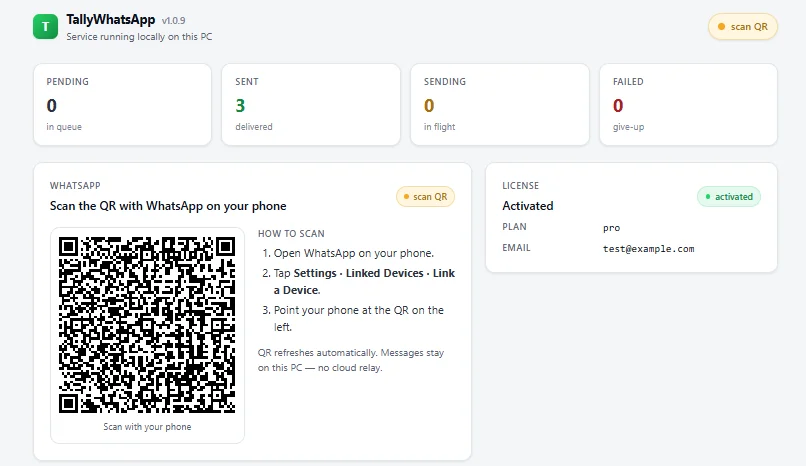
The easiest way to sell is to show. Install the 14-day trial on their system. Open TallyPrime and pair the QR code—it takes seconds. Then, generate a test invoice and click the Send WhatsApp button. The instant satisfaction of seeing the PDF arrive on their phone with a professional message is often enough to close the deal. For technical details, refer to the TallyWhatsApp setup guide.
Objection Handling Strategies
You might hear, "We already use WhatsApp Web." Respond by explaining the difference between manual attachment and automated, one-click dispatch from within Tally. If they are afraid of their number getting banned, walk them through our anti-ban protection features, including jitter, spintax, quiet hours, and burst pauses. If they hesitate on price, break down the yearly cost versus the daily hours saved—the ROI is massive. Remind them to check the Tally automation checklist for other ways they could be saving time.
For detailed terms and partner margins, please check your partner portal for current wholesale terms.
Frequently Asked Questions
Who is the ideal client for TallyWhatsApp?
Any business that sends 10 or more invoices per week is an ideal client. They will see immediate ROI from the time saved on manual document sharing.
How do I handle the 'already have WhatsApp Web' objection?
Explain that while WhatsApp Web is great for chatting, it requires manually exporting PDFs, attaching them, and typing messages. TallyWhatsApp automates this directly from the voucher screen with one click.