How to Send Bulk WhatsApp Messages from TallyPrime Safely
Sending a single invoice is easy, but what happens when you need to send outstanding statements to 300 debtors on the 1st of the month? Many businesses turn to cheap, generic bulk messaging tools and end up getting their business number permanently banned. In this guide, we'll show you how to execute bulk whatsapp from tally the safe way.
The Danger of Generic Bulk Senders
WhatsApp's anti-spam algorithms are ruthless. If you connect your number to a standard Chrome extension or a cheap bulk desktop app and blast out 500 identical messages in two minutes, the algorithm will flag you immediately. Your number will be banned, severing your connection to your clients. For more on this, read our comprehensive guide on WhatsApp number ban prevention.
TallyWhatsApp's Safety-First Approach
We designed TallyWhatsApp differently. Because we deal with critical financial documents, a banned number is unacceptable. Our entire architecture is built around mimicking human behavior. When you queue up a bulk whatsapp from tally batch, our software doesn't just blast it. It queues it up and meticulously manages the dispatch rate.
Gaussian Jitter and Burst Pauses
Humans don't send messages exactly 1.00 seconds apart. Our system uses a mathematical concept called Gaussian Jitter. It randomizes the delay between each message—maybe one takes 4 seconds, the next takes 9 seconds, and the next takes 6 seconds. This looks completely natural to Meta's servers.
Furthermore, we implement Human Burst Pauses. A human might send 40 messages and then go grab a coffee. TallyWhatsApp does the same. After a burst of messages, it pauses for a few minutes before resuming. It also respects Quiet Hours, pausing all operations during the night. For a full breakdown of what to automate, review our Tally Automation Checklist.
Spintax: Keeping Your Messages Unique
Another major trigger for spam filters is sending the exact same text block thousands of times. TallyWhatsApp supports Spintax (Spin Syntax). You can configure your template to say: {Hi|Hello|Greetings} [Name], please find your {invoice|bill} attached. The system will randomly choose a variation for every single message, ensuring no two texts are identical.
How to Send Bulk Outstanding Reminders
Executing this in Tally is incredibly simple:
- Open your Outstanding Receivables report in TallyPrime.
- Select the ledgers you want to remind (or select all).
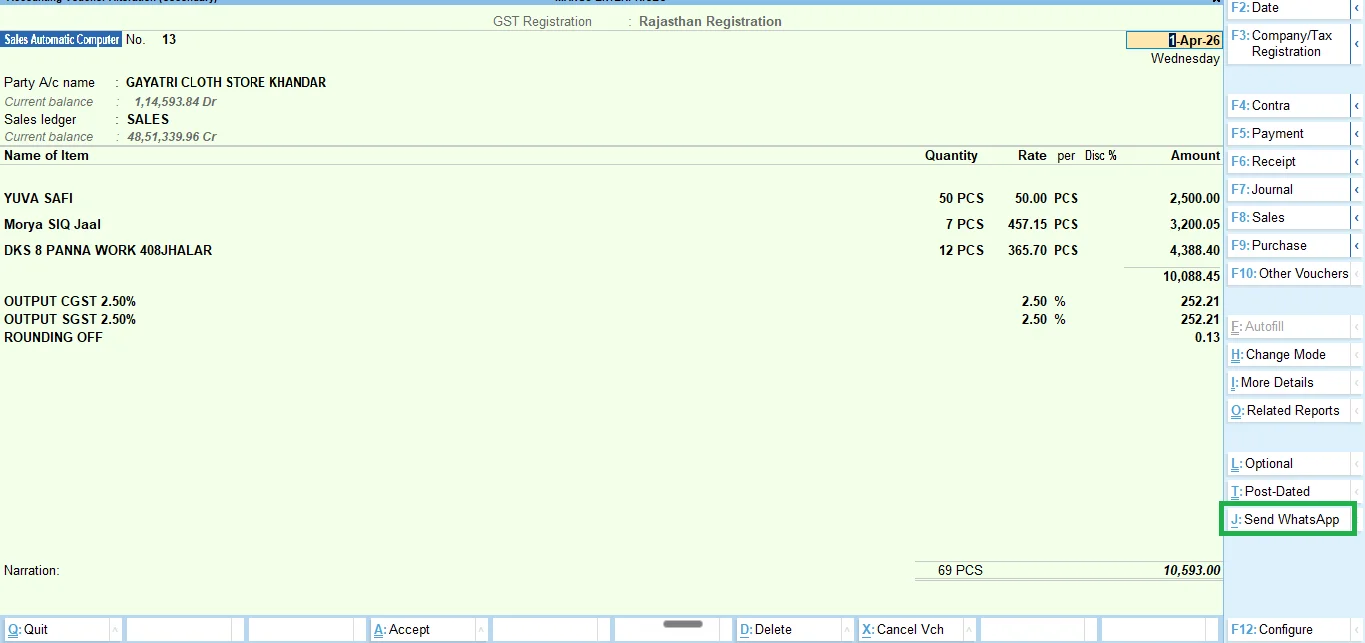
- Press Alt+J (Send WhatsApp).
The system will generate individualized PDFs for every ledger and pass them to the queue. You can walk away, and TallyWhatsApp will slowly, safely, and securely dispatch them throughout the day. It integrates beautifully with our automatic payment reminder tally engine.
Frequently Asked Questions
Will WhatsApp ban my number for sending bulk messages?
If you use a generic bulk sender, yes. But TallyWhatsApp uses Gaussian jitter, burst pauses, and Spintax to mimic human behavior, keeping your account perfectly safe.
Can I send festival greetings to all my Tally ledgers?
Absolutely. You can use our customized message feature combined with Spintax to send bulk greetings that feel personal and unique to each client.
Ready to try it?
Send bulk updates and reminders safely without risking your business number.
Download 14-Day Free Trial