Tally to WhatsApp – QR Based (No-META API) Setup & Product Guide
Learn how to send invoices, ledgers, outstanding reminders, receipts, and payments directly from TallyPrime to your customer's WhatsApp using a simple, cost-effective QR-based connection. Bypasses all complex Meta business setups, requires no message pricing, and includes a 3-day fully-featured free trial.
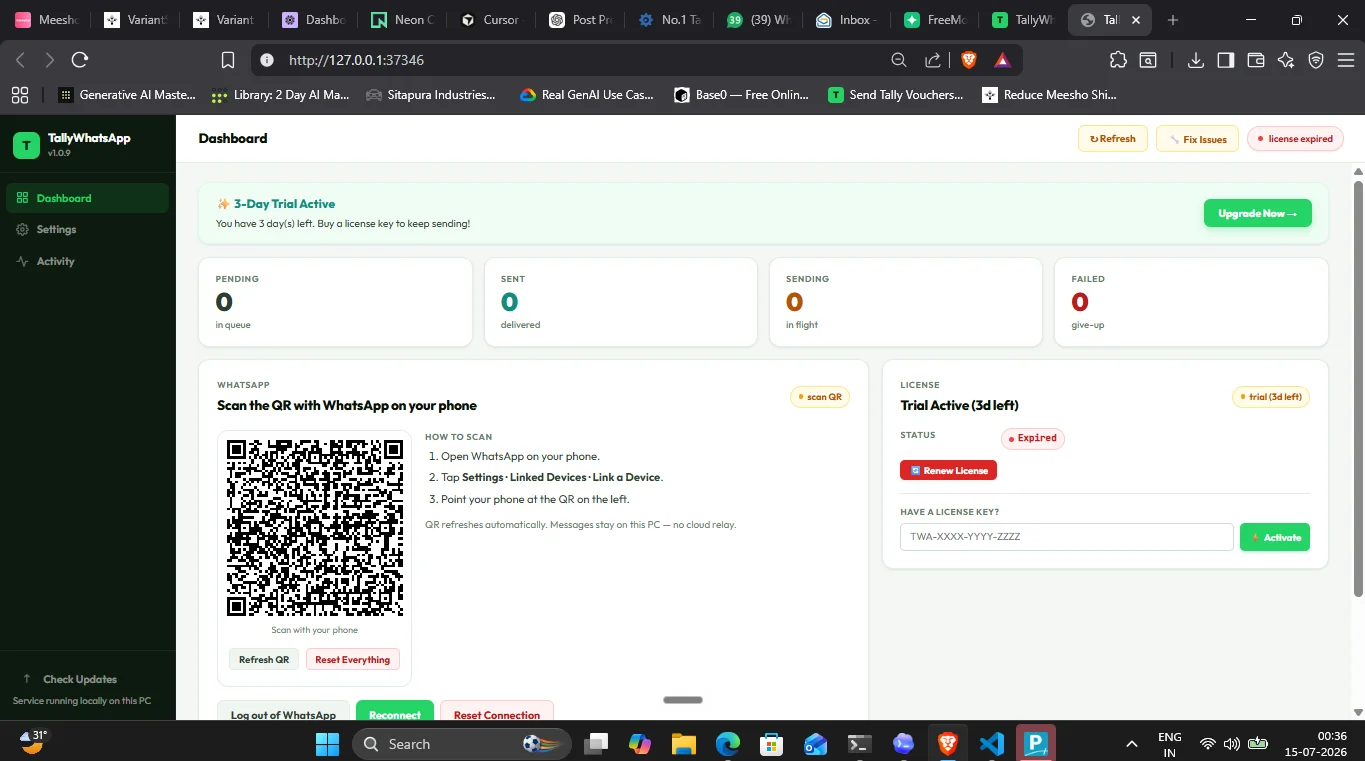
What is the Tally to WhatsApp QR-Based Solution?
For business owners and accountants in India, sending invoice PDFs to clients has traditionally been a slow, manual process. You had to export the invoice to PDF, open WhatsApp Web or an email client, locate the customer, attach the PDF, and hit send.
While Meta provides an official Cloud API, it comes with strict business registration verification, complex technical configurations, and per-message pricing (charging you for every customer conversation).
Our Tally to WhatsApp QR-Based integration acts as a seamless, local-first bridge. By linking your WhatsApp account (just like you do with WhatsApp Web or Desktop), TallyPrime sends invoices directly to your clients instantly.
What We Provide
We provide a complete, automated package that makes configuration painless:
- One-Click MSI Installer: A single download wrapper that installs the local service, registers the C# COM DLL interop wrapper, patches your Tally configuration automatically, and places the required TDL files in the correct directories.
- Multi-Document Dispatch Support: Direct outbox worker integration to queue and send:
- Sales Invoices (PDF format with custom captions)
- Receipt Confirmations (acknowledging customer payments instantly)
- Payment Vouchers (sending receipt records to vendors)
- Credit & Debit Notes (confirming bookkeeping adjustments)
- Ledger Accounts & Confirmations (sharing complete account outstanding statements)
- Customized Captions: Personalize the text template sent along with your PDF attachments directly from the local dashboard.
- 3-Day Free Trial: Zero commitment. Download the installer, configure it in under five minutes, and test all functions for three days completely free of charge.
Single-User System & Licensing Details
🚨 Important Configuration Note:
Our current system operates as a Single-User System. This means each license key is strictly bound to a single computer. It is perfect for standalone accountants or billing desks. If you need to run it on multiple billing PCs, separate licenses are required.
Good news: We are actively developing and will soon launch our Multi-User System designed specifically for local LAN environments with multiple Tally terminals.
Step-by-Step Installation and Setup Guide
Setting up your Tally to WhatsApp QR-based system takes less than eight minutes from start to finish. Follow these detailed steps, mapped directly to the screenshots:
-
Step 1: Download the MSI Installer
Head over to our website and click the download button to grab the official
TallyWhatsApp.msiinstaller.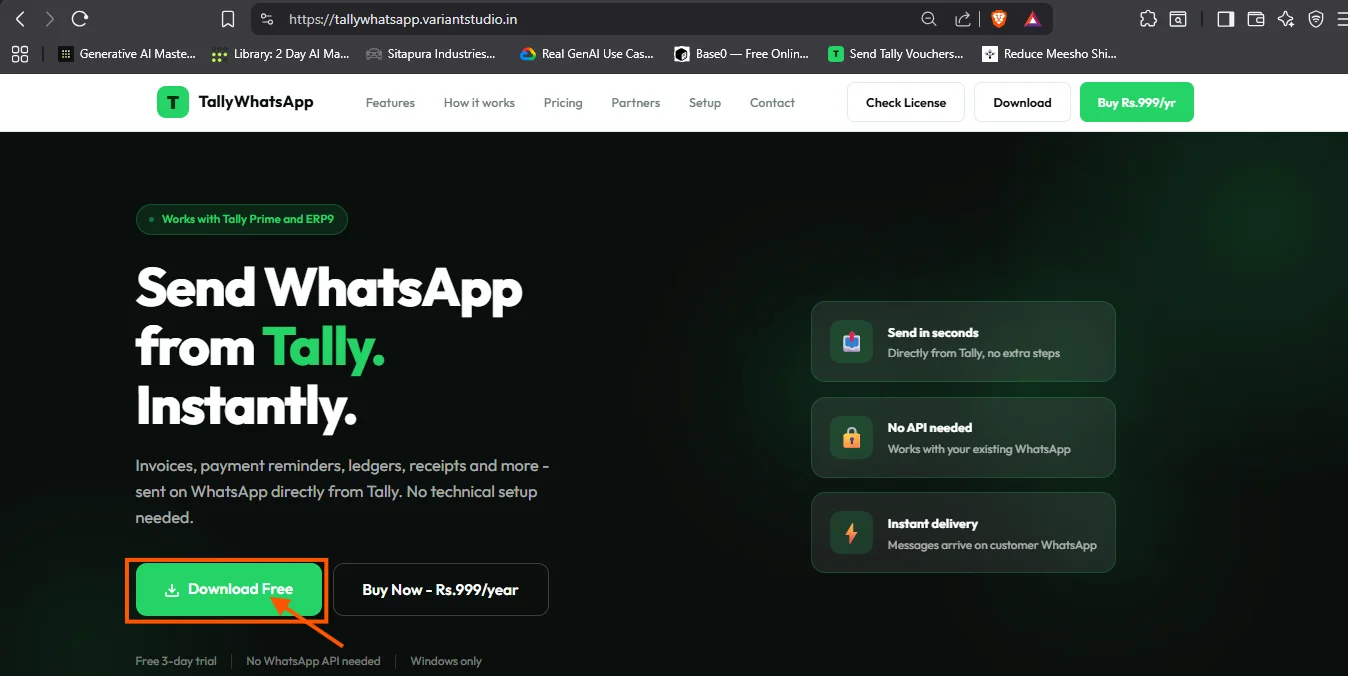
-
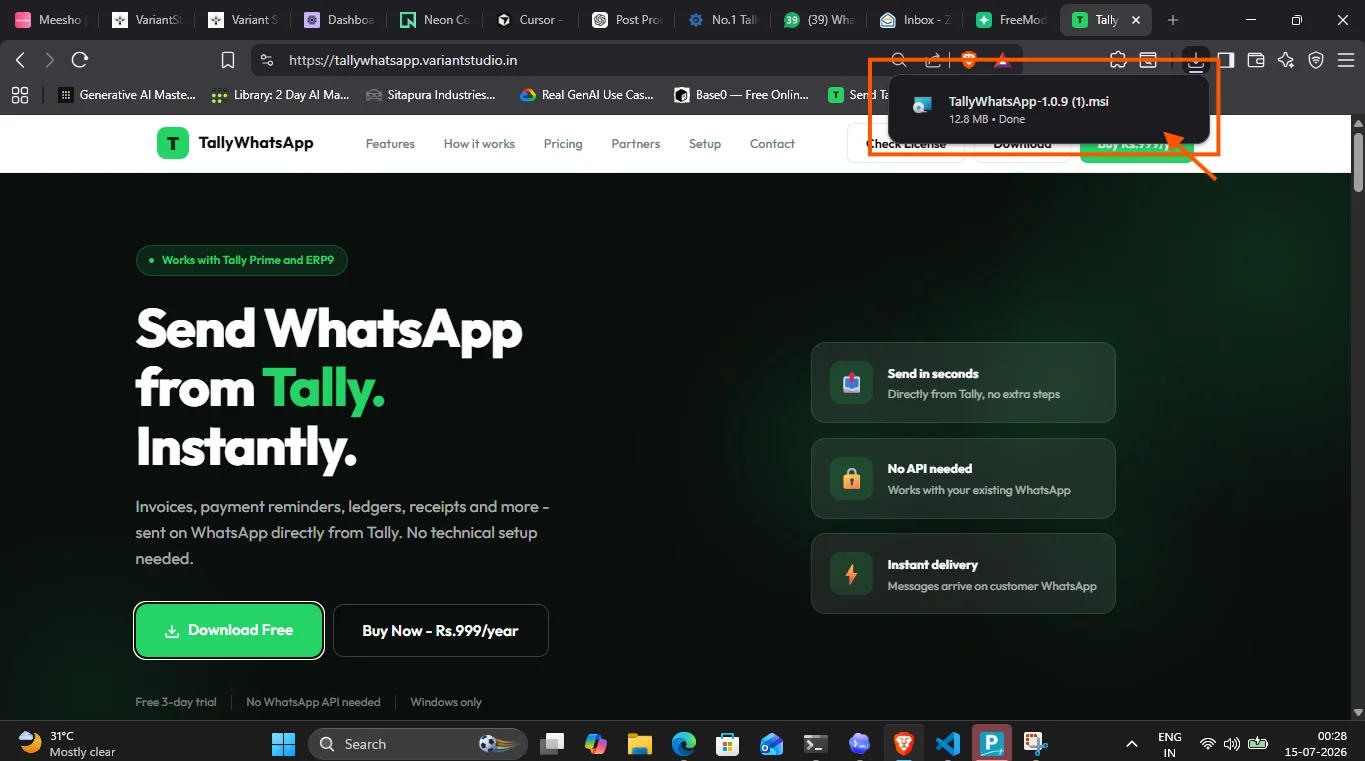
Step 2: Open Your Downloads Folder
Locate the downloaded installer package in your computer's Downloads directory. Ensure TallyPrime is closed before running the installation.
-
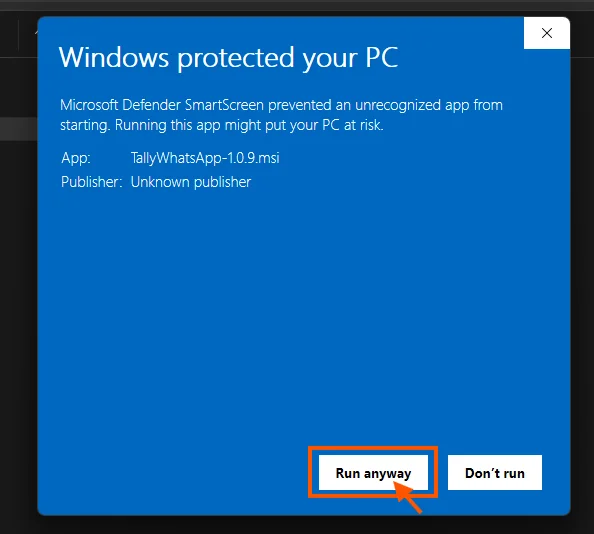
Step 3: Run the Setup Installer (Bypass SmartScreen)
Double-click the MSI file. If Windows SmartScreen displays a warning, click "More info" and then click "Run anyway". The installer automatically registers the Windows background service, configures the COM DLL views, and hooks into your Tally files.
-
Step 4: Launch the TallyWhatsApp Dashboard
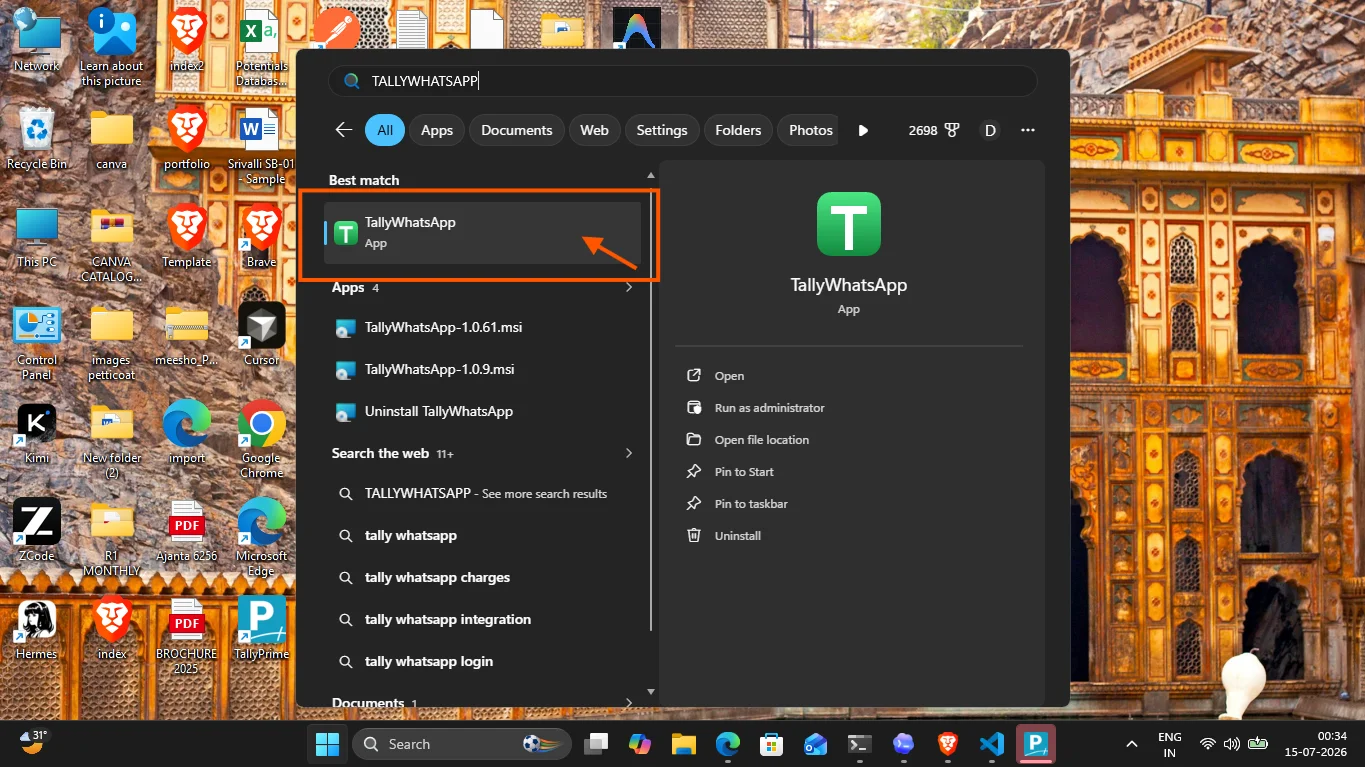
Open your Start menu, search for "TallyWhatsApp", and click to open the program. The background client dashboard will launch in your browser to manage settings and queue logs.
-
Step 5: Pair Your WhatsApp Account (Scan QR)
Under the WhatsApp tab on the dashboard, scan the generated QR code using Linked Devices inside the WhatsApp app on your smartphone. The status will immediately flip to Connected.
-
Step 6: Check Add-On Configuration in Tally
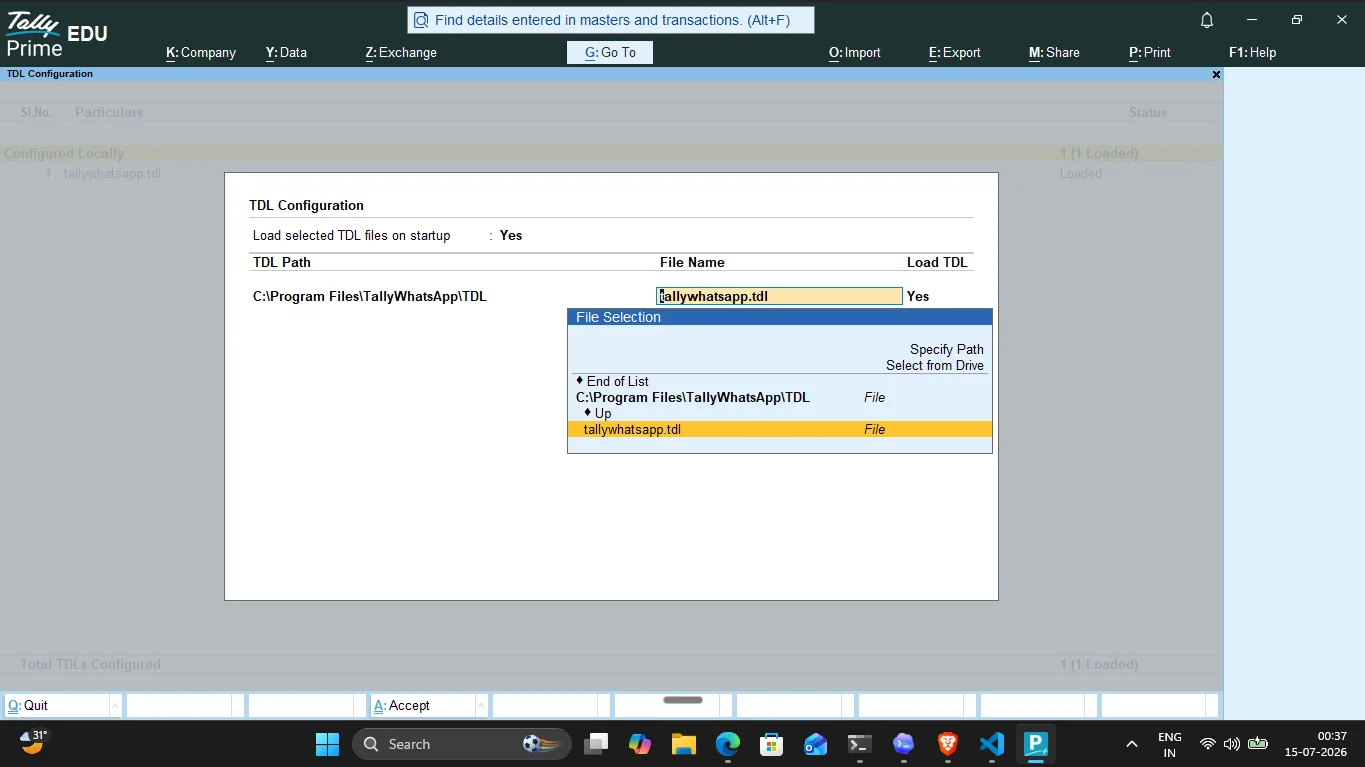
Open TallyPrime. Navigate to F1 (Help) → TDL & Add-On → TDL Configuration. Verify that the TallyWhatsApp TDL files are successfully loaded (set to Yes).
-
Step 7: Send Your First WhatsApp Voucher
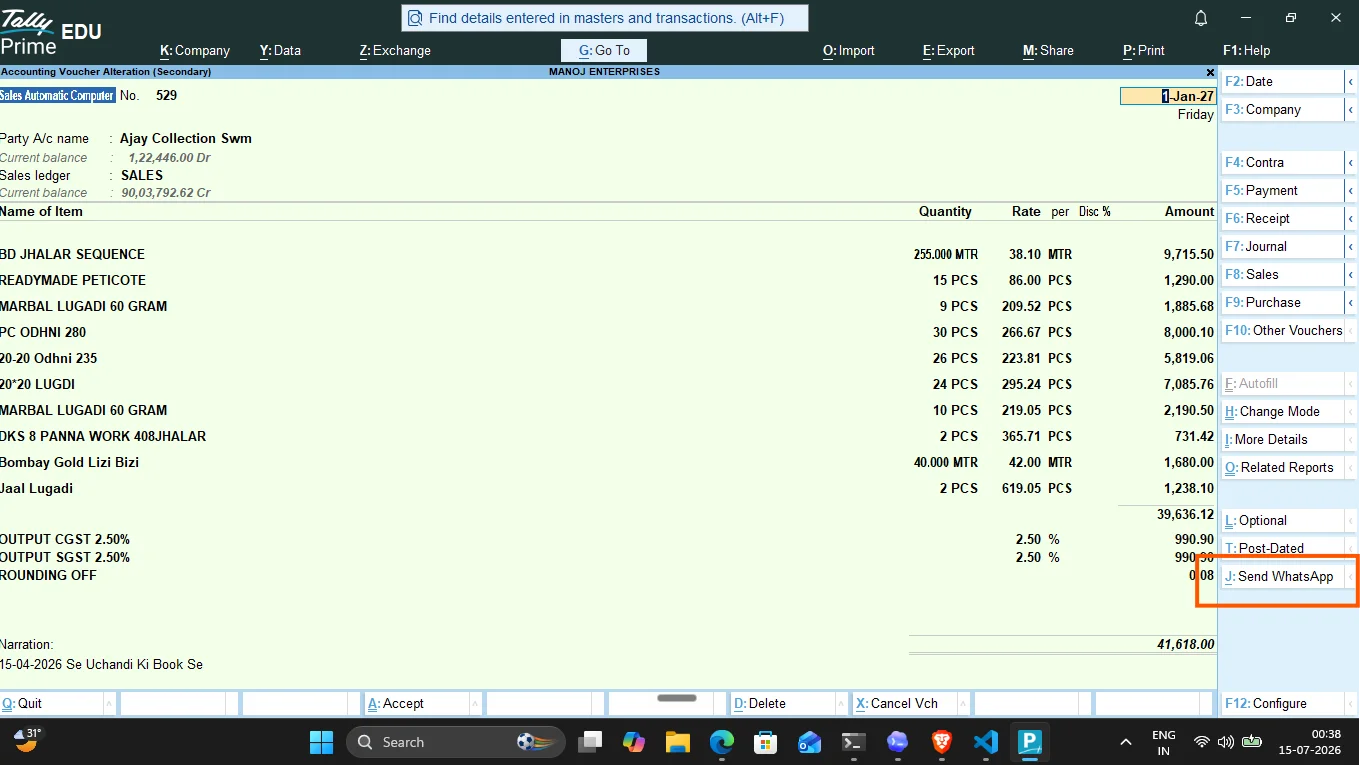
Open any voucher (Sales, Receipt, Payment, Credit/Debit Note, or Ledger). Click the Send WhatsApp button in the right-side function menu or press Alt+J. Confirm the prompt to dispatch the invoice PDF to the client's number instantly.
Product Comparison: QR-Based vs. Meta Cloud API
| Feature | QR-Based TDL Store Alternative | Official Meta Cloud API |
|---|---|---|
| Cost per message | ₹0 (Completely Free, uses your own plan) | ₹0.50 to ₹1.50 per conversation block |
| Setup Time | ~8 minutes (Instant QR scan) | 2 to 5 days (Requires Facebook Developer Account) |
| Document support | Invoices, receipts, payments, credit notes, ledgers | Limited templates, requires template approvals |
| Business Verification | None required | Strict GST/Business registration checks |
| LAN Multi-User support | Coming Soon (Single PC active currently) | Supported natively (Enterprise cloud) |
Frequently Asked Questions
Does my phone need to be next to the computer all the time?
No. Just like WhatsApp Web, once the QR code is scanned, the session is cached locally on the PC. Your mobile phone only needs to remain online and connected to the internet; it does not need to be physically near the computer or on the same Wi-Fi network.
How does the 3-day free trial work?
Our MSI installer automatically starts a 3-day trial period upon installation. You don't need to register any credit cards or provide payment information. You get complete access to the product, outbox queue logs, and customization templates to verify compatibility with your TallyPrime setup.
What happens if I change my computer?
Since the license is tied to a single-user computer signature, installing it on a new PC will lock the license. If you upgrade your system, simply email our admin support team at admin@variantstudio.in, and we will reset your hardware ID signature within 24 hours.
Will my number get banned for sending messages?
TallyWhatsApp has a built-in safety outbox queue worker. It spaces messages with randomized pacing delays (e.g., 30–90 seconds depending on voucher type) and caps hourly/daily volume to match human behavior patterns, preventing your business number from tripping automated WhatsApp spam filters.
Start Your 3-Day Free Trial Today
Get instant invoice and ledger sharing directly from TallyPrime. Install, scan, and send in under 8 minutes.
Download Installer & Start Trial Buy Lifetime License · ₹999